
Tips for Creating a Cozy and Productive Home Workspace
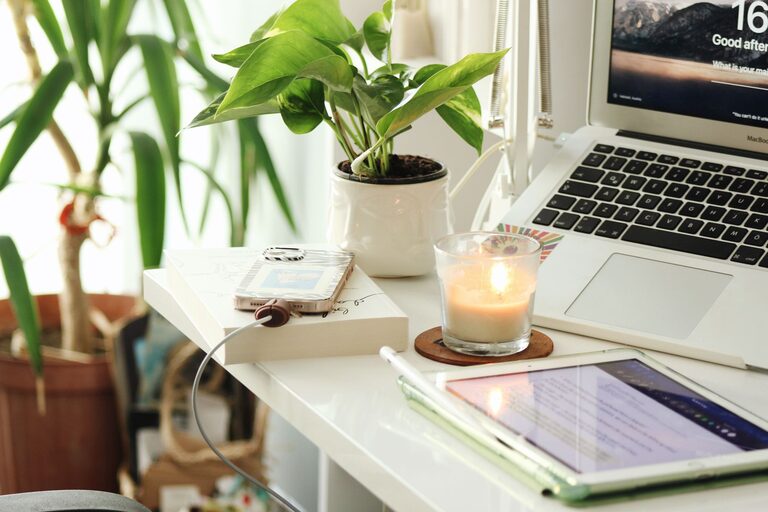
Creating a cozy and productive home workspace can significantly improve your focus and overall work satisfaction. Whether you’re working remotely full-time or just need a dedicated spot for occasional tasks, designing an environment that feels comfortable while encouraging productivity is key. Here are some tips to help you set up a home workspace tailored to your needs.
Choose the Right Location
Selecting the right spot for your workspace is the first step. Ideally, this area should be quiet, away from household distractions, and have enough natural light.
– Consider natural light: Position your desk near a window if possible. Natural light can boost mood and energy.
– Minimize noise: Pick a room or corner where ambient noise is low. If noise is unavoidable, consider noise-canceling headphones.
– Separate work from rest: Avoid setting up in places associated with relaxation, like your bed. This helps maintain focus and boundaries.
Invest in Comfortable Furniture
Comfort is crucial when you spend hours working at your desk. Ergonomic furniture reduces strain and fatigue.
– Ergonomic chair: Choose a chair that supports your lower back and allows your feet to rest flat on the floor.
– Proper desk height: Your desk should be at a height where your elbows rest comfortably at about 90 degrees.
– Adjustable options: Consider an adjustable chair or desk to customize your setup as needed.
Organize for Efficiency
A tidy workspace reduces stress and saves time you might otherwise spend searching for things.
– Use storage solutions: Shelves, drawers, and desk organizers keep supplies in order.
– Minimize clutter: Keep only essential items on your desk and put the rest away.
– Cable management: Use clips or ties to keep cords neat and prevent tangling.
Personalize Your Space
Adding personal touches can make your workspace inviting, which encourages daily use and enjoyment.
– Include plants: Small indoor plants improve air quality and create a calming atmosphere.
– Artwork or photos: Surround yourself with images that inspire or uplift you.
– Color choice: Use colors you find soothing or motivating, whether through wall paint, desk accessories, or decor.
Optimize Lighting
Proper lighting reduces eye strain and maintains alertness throughout the day.
– Use layered lighting: Combine natural light with overhead lighting and a desk lamp.
– Choose the right bulbs: Opt for bulbs that mimic daylight or have adjustable brightness settings.
– Avoid glare: Position screens and light sources to reduce reflections on your monitor.
Create a Technology Setup That Works
Reliable and efficient technology supports productivity without interruptions.
– High-speed internet: Ensure your connection can handle video calls, uploads, and downloads smoothly.
– Quality peripherals: Invest in a good keyboard, mouse, and headset for comfort and clarity.
– Backup options: Have a charger, external drive, or cloud backup to prevent data loss.
Establish Boundaries and Rituals
A cozy workspace also depends on your mental approach to working from home.
– Set working hours: Define clear start and end times to balance work and personal life.
– Take breaks: Schedule regular breaks to stand, stretch, or relax your eyes.
– Use rituals: Create routines like morning coffee at your desk to signal the start of the workday.
Keep It Flexible
Sometimes your needs change throughout the day or week. Keeping your workspace adaptable can help.
– Alternate seating: Add a standing desk option or a comfortable chair to switch postures.
– Mobile workspace: Use a laptop stand or portable organizer to change locations when needed.
—
By thoughtfully choosing your workspace location, investing in comfort, maintaining organization, and adding personal touches, you can create a home office that feels cozy and supports your productivity. Remember, the best workspace is one that fits your unique preferences and needs, so don’t hesitate to make adjustments until it feels just right.
Related Post
Tips for Creating a Relaxing Home Workspace to Boost Productivity
Discover simple and effective ways to design a relaxing home workspace that enhances focus and [...]
Tips for Creating a Cozy and Productive Home Office Space
Discover simple and effective tips to design a home office that balances comfort and productivity, [...]
Tips for Creating a Cozy and Functional Home Office Space
Discover simple ways to design a home office that's both comfortable and efficient, making your [...]